This blog is best viewed with Firefox - And leave a line in the new shoutbox!

27.11.09

Talk at "Lichtblick4d"-Event at 11.12.09 in Berlin


hi, next month the 11.12.09 i will give a talk about our action role playing game "Risen" at "Lichtblick 4d" in Berlin.
Lichtblick 4d is a successful autodesk reseller in germany, that is very active in the german CG community. the event is free, so be sure to check it out. But you have to sign for it on the website!

click here for the event page

2 Blogs of my team mates

hi, i want to introduce 2 blogs from my team mates at piranha bytes.


the first one is from Dietrich Magnus, who is one of our animators.
see his blog here: http://dietrichmagnus.blogspot.com/
its about animation stuff...he grabs cool videos and stuff all about animation related and credits it in his blog.. sometimes he also shows off things of his own. valuable stuff! check this out!


and the second one is very new and not yet layouted.
its from Horst Dworczak our character sculpter.
he mainly shows off thing of his own: http://cgsculptblog.blogspot.com/
quality stuff! check it out!

9.11.09

Mudbox techniques for props #3 - Tileable Stone

here another tutorial concerning tileable normalmaps in mudbox
sorry bit long with 20 min. and big with 90 mb..
hope its useful to you.

example files for this tutorial

7.11.09

BS_III_2009 8h Speed lecture at GA

jo hi students, i just pimped the picture a bit with lights, and put the diffuse also in the bump.
so here is the result. it was a cool lecture with you. nice people you are.
see u next time

and yes, the shadow comes from the wrong side :)..

6.11.09

BS_II_2009 8h Speed lecture

another day at Games Academy.
this ones also a plane mapped dagger.
you students were very motivated! well done and keep it up!

5.11.09

BS_I_2009 8h Speed lecture

good compact lecture. was very much too teach in a few hours, but you students were very concentrated.
the result lacks of any complex uv mapping, and also the texture is only the concept bitmap mapped planar onto the knife.
here it is.


if you liked my lecture, recommend me on linked in and xing

29.10.09

Random Risen stuff again

From CG Environments by Sascha Henrichs

Here is one conceptrendering for the underworld housings:


and some boats

26.10.09

trying to sketch a weapon

jo, since i got my new wacom, i'm now free to spend all my time with it :)...
this one is a first attempt on sketching a weapon in about ~10 minutes..
and another one.. with sketchbook pro

25.10.09

Basis Semester at Games Academy Frankfurt

hi students..here are the presentations of the projects we did the last days..
as always, textures are not worked out.
BS II 2009 FFM did the Scythe:


and BS I 2009 FFM did the Flail


thank you. it was a pleasure to teach you. hope you had fun!

23.10.09

Odosketch kicks major ass

here is a sketch i did with a cool online sketching program call odosketch (wait a second till the sketch starts)
my colleague dietrich magnus found this nifty software! try it out!
heres the pic, since odosketch is somehow down currently

19.10.09

Skinny Ghul vs. Giant Monster Scorpion


and just another old Risen mood rendering, cooked up to work as a poster or desktop pic...unfortunately a scene like this is never to be seen inside the Risen game ...the initial lighting was way darker! but for this poster it was pimped up..for sure still enhanceable in many ways..

credits for this pic:
creatures: horst dworczak (sculpt) , thorsten kalka (lowpoly and diffuse), dietrich magnus (rigs)
environment and props, concept, arrangement, lighting and rendering: me :) sascha henrichs


12.10.09

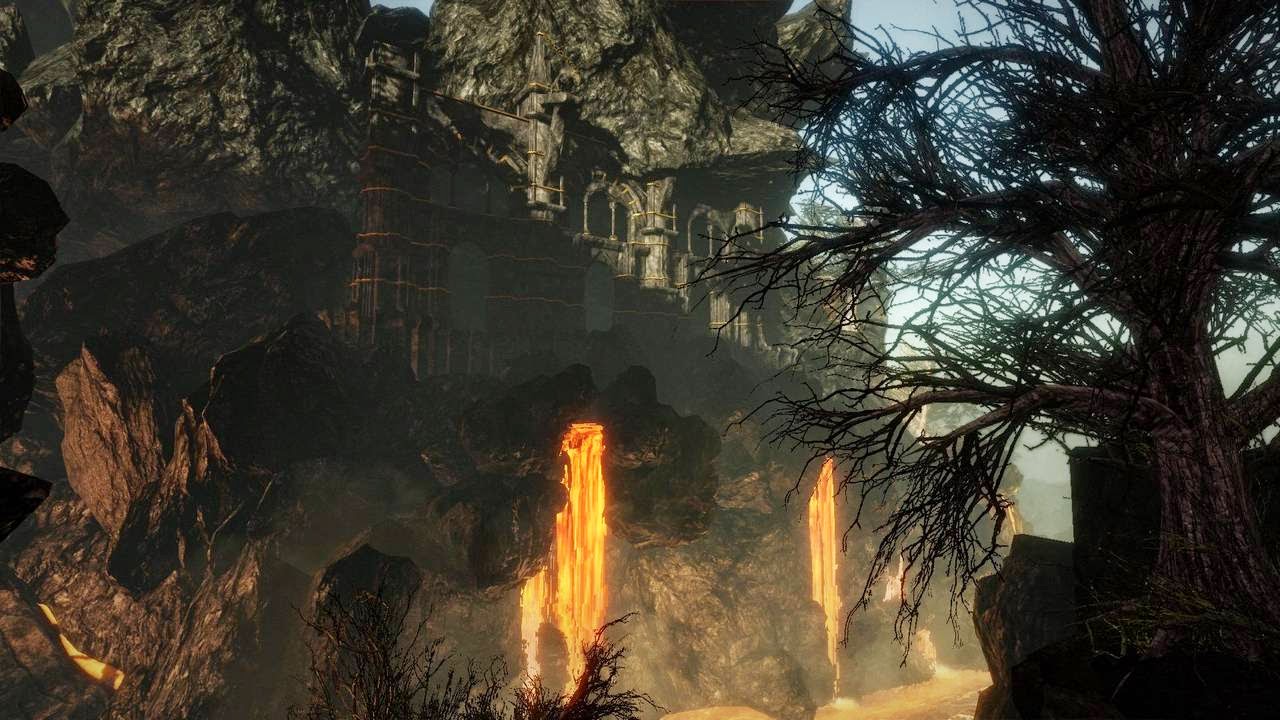
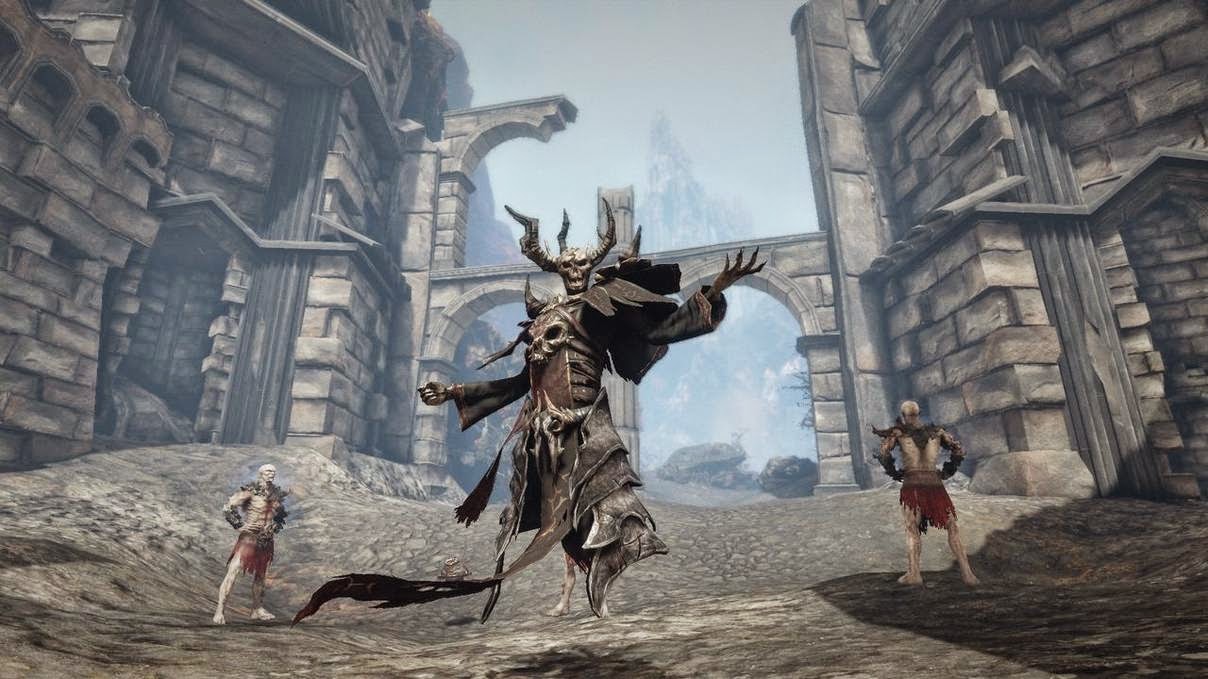
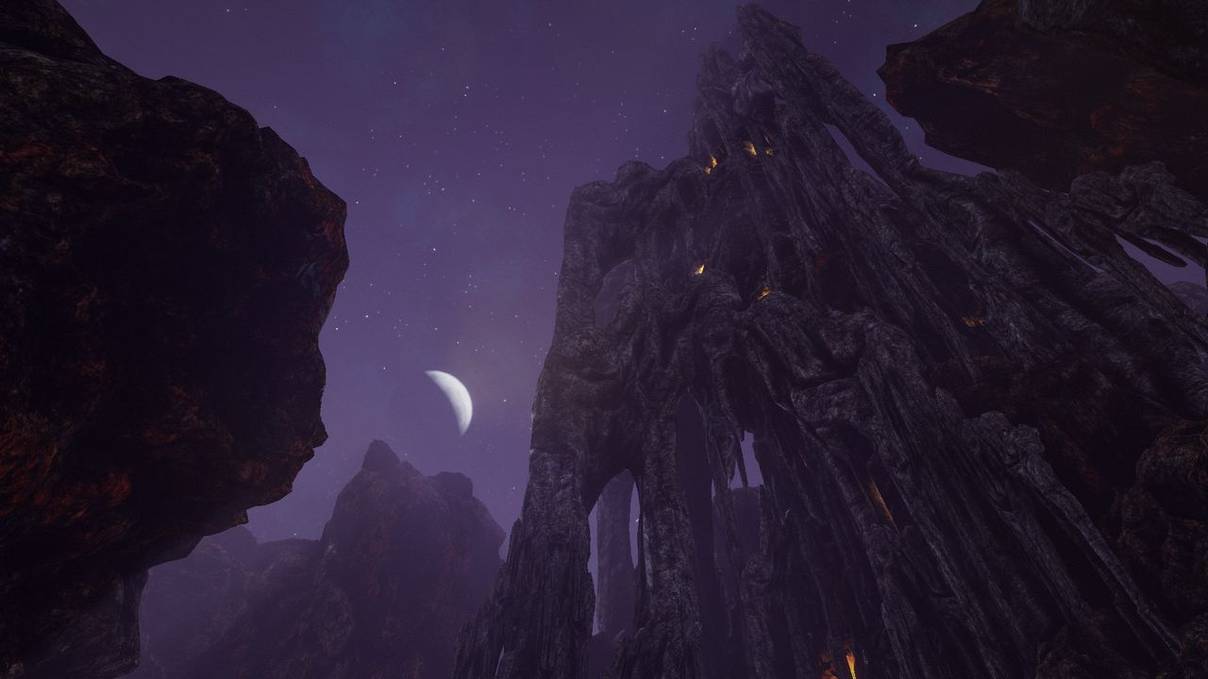
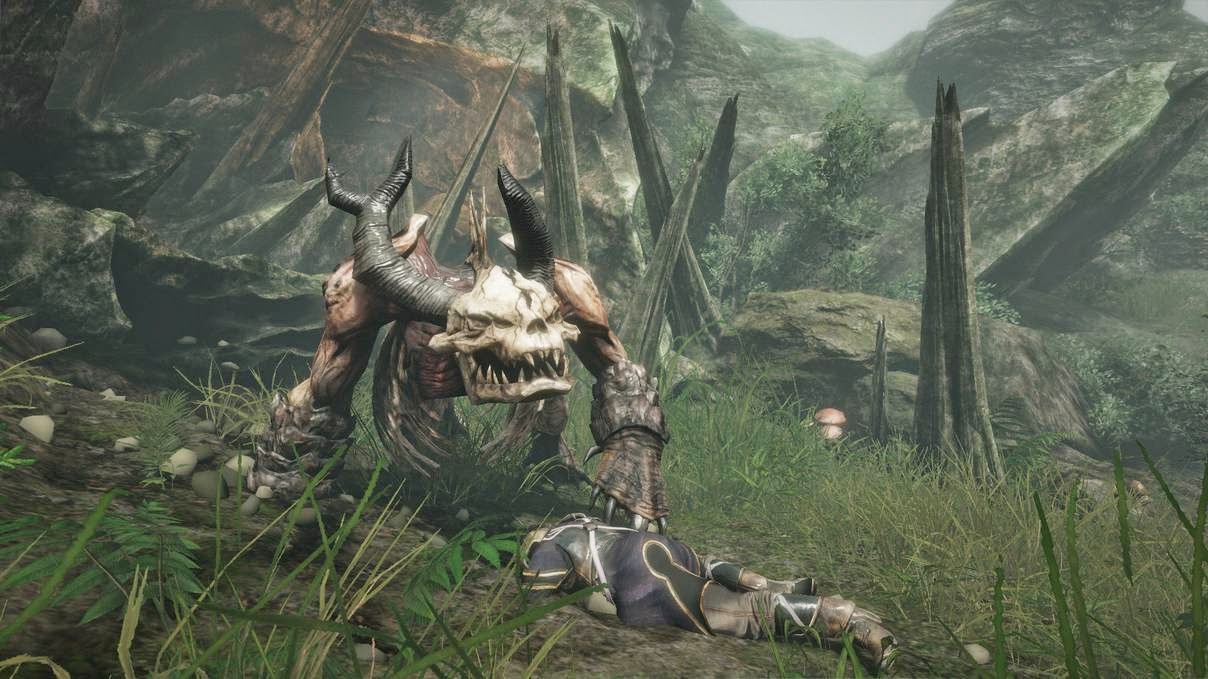
Some random "Risen" stuff i did


hi my beloved anonymous.
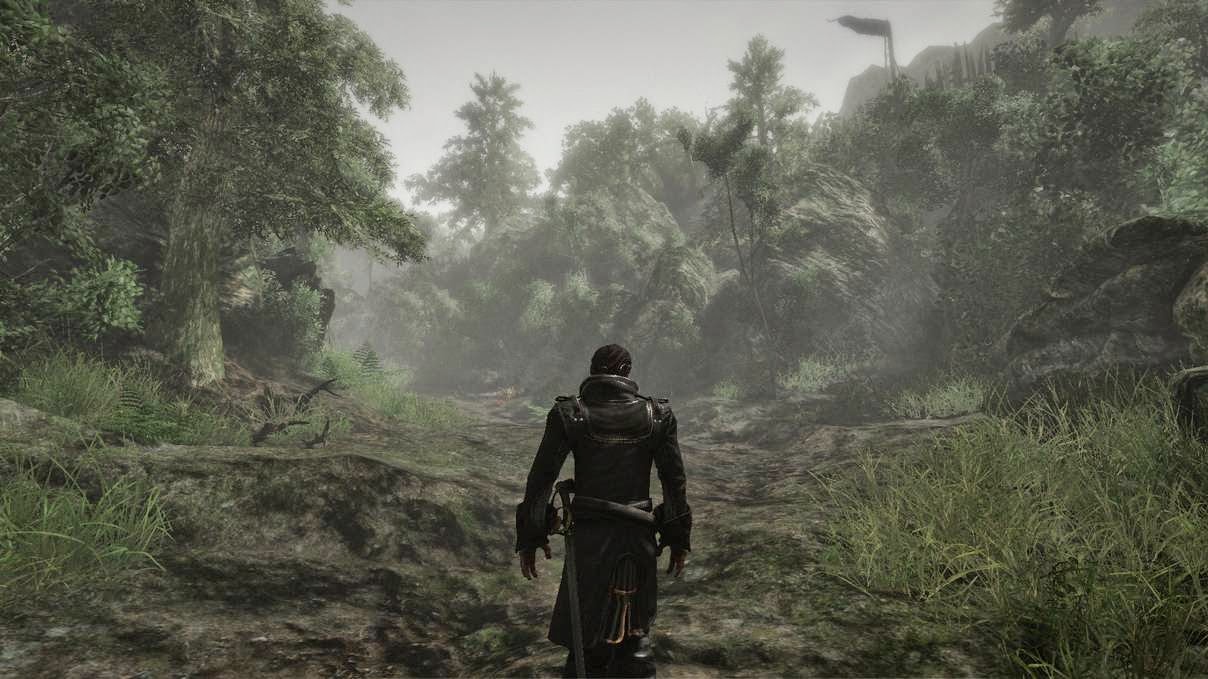
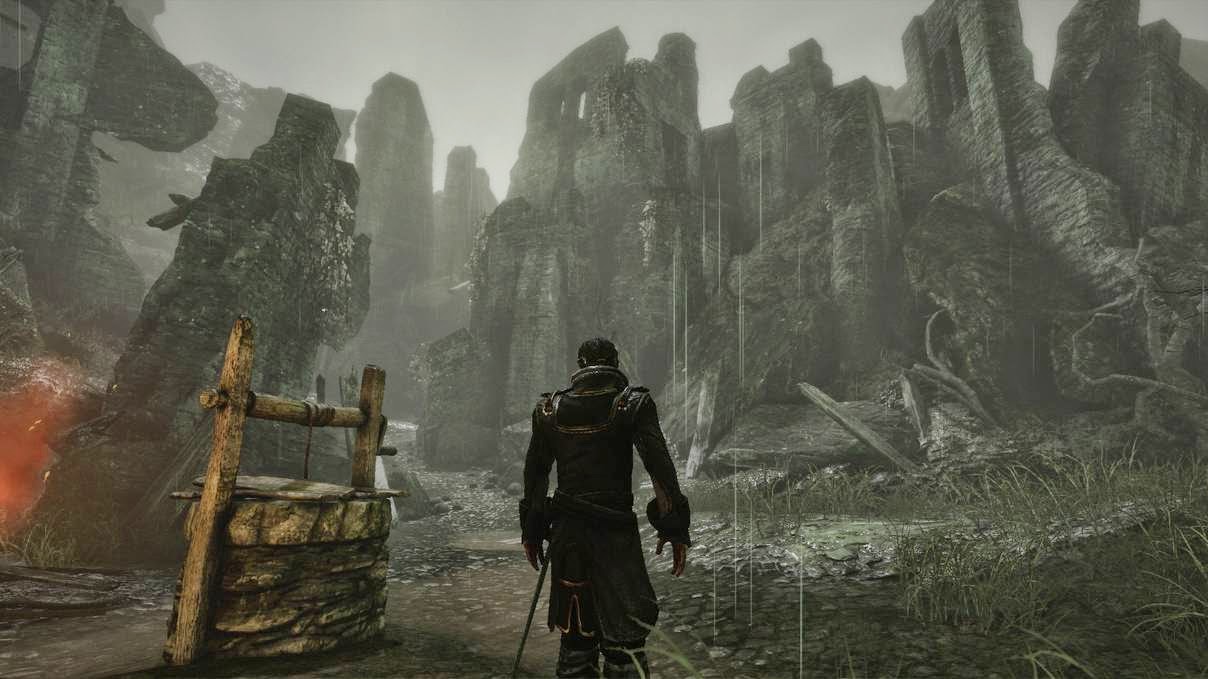
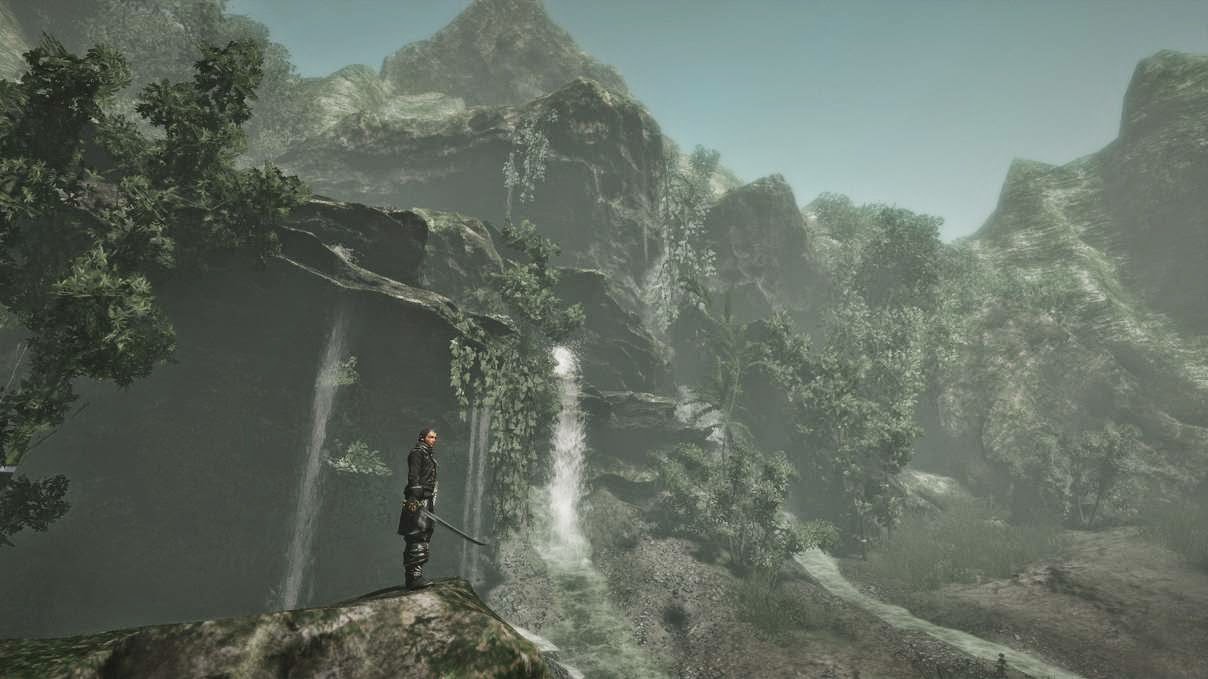
today i bring you some production stuff from our game "Risen"..it came out 2. October '09 ...

its random stuff i have on my disk. there are mainly props and beauty renders..
so here is the first one, its a druids shrine i modeled from a concept that came from a fan contest..
the price was: being in the game...the initial task was to create an undead shrine.. but since there were many good ones, we also had a second place.. this one was then used as a druids shrine.
sculpt in mudbox, render in max.


The next one is a render of some vegetation props..
the grass was the gothic 3 grass..i did a new one for risen.


here is another foliage thang, i also have on my page www.saschahenrichs.de for ages now..


the last one is a concept render, to get an idea how dungeons could work..


cu!

10.10.09

Hard Surface Modeling Pt.2 - Art_I_08


jo today (the last day for art_I_08 unfortunately) we did the wall tile...
also with hard surface mod. in 3dsmax. also had some fun with splines (the wires)
the students were at hardcore lecture mode, until saturday evening!! respect. :)
i hope you all were statisfied with the lecture and see you the next time!

see the effort here (viewport render) :

Hard Surface Modeling - Art_I_08


Jo, this is day one at Art_I_08 at Games Academy Berlin.
Guys and Girls..you were so tired :D .. i had hard time to keep you awake...but ok, the topics a bit unspectacular..
we did some hard surface modeling, and the teaching of it can be very boring, since we always do the same: supporting edges :)
but believe me, once you did it sometimes, its really fun, since the results can be great
look at this floor tile....textures can always be improved.
we modeled it in 3dsmax, and rendered the highpoly on a single plane.
then we had the normal and the ambient occlusion.
then we put some base metal texture on it, and alsosome colors...i also did a specular map for it..
this one is rendered offline.


19.9.09

Conan Axe @ Schnupperkurs

There was another "schnupperkurs"..(or "taster course" like dict.cc sez) @ the Games Academy..
so greeting to the students, hope your new 3dsmax basic knowledge may help you in future! you were very teachable :D

we modeled a slight modified concept of the Conan Axe. heres the concept:


and here the model..never mind the textures, which are very beta:

29.8.09

Mudbox techniques for props #2 - Stone

Mudbox techniques for props #2 - Stone from sascha henrichs on Vimeo.

hi there, here is a second video concerning stone sculpting..
its mainly scraping and stuff..so nothing fancy

try it

27.8.09

Best Game at Gamescom Poll from PCGames - Risen


hi, as you perhaps know, we were present at the gamescom exhibition in cologne these days..
and the PC Magazine PC Games made a poll about the best game there..
and due to nearly 1700 participants on this poll, we are the best game there
see it in this article

ok, in my opinion we were definitively NOT the best game...that was Call of Duty - Modern Warfare 2 ;)
but anyway, a great news for us, that everybody like our game!
so thanks to all people i met there! those were great days and even better parties! :)


[edit]
We are also best game at gamescom @ Gamestar.de
out of amazing 8009 participants

26.8.09

Normalmap How to's


Hi, i stumbled upon 2 papers about normalmaps, and how they work.
the first one is from Nicholas Etheridge and its a PDF, you find it here

the other is from the polycount forum. here it is in the polycount wiki

20.8.09

Mudbox techniques for props #1 - Wood

a first video concerning sculpting techniques for props

Mudbox techniques for props #1 - Wood from sascha henrichs on Vimeo.

18.8.09

GAMC #1 Voting


jo hi, i think my avantgarde concept, was not, what people expected ;)
currently i got 4 points...see the voting thread here but only participants can vote

it seems the winner will be Ben Bolton who created this masterpiece


14.8.09

Game Art Mini Challenge #1 - Final Submission


yesterday night i finished this little challenge thingy for Game-Artist.net, since i have no time at the weekend, and the deadline is sunday, august 16th.

so the result i posted is somewhat dirty, and made in a rush..perhaps nothing for the portfolio.
not to mention, that the design is really crappy..i could have done muchos better, but didnt ;)


i used mudbox to sculpt the concrete parts, and bumps in the copperbulbs.
then i also used mudbox for the baking of the normal and AO of the unique mapped parts.

the concrete parts are stacked uv chunks to save pixelspace. having a payoff in the seams...

i used the 3dsmax 2010 viewport DX shader with 3 lights
the free " shader FX"takes the opacity part of the fences

1 diffuse
1opacity
1selfillu
1normal
1spec
all 1024x512..

the selfillu and opacity textures could have been optimized with another uv channel and smaller textures, but then it comes to renderproblems inside of max..
and i had no time to find another render solution

GAMC_#1_Aphexx_Diffuse_01.jpg
GAMC_#1_Aphexx_Glow_01.jpg
GAMC_#1_Aphexx_Normal_03.jpg
GAMC_#1_Aphexx_opacity_01.jpg
GAMC_#1_Aphexx_Specular_03.jpg

Triangle Count: 1412 tris

8.8.09

Game Art Mini Challenge #1 @ game-artist.net

hi, i decided spontaneously :) to take part in the GAMC #1 at www.game-artist.net

goal is to make a "Wall Unit".. from a given concept
here it is


it can be changed a bit..so here is my concept and lowpoly so far:


here some diffuse


7.8.09

Mudbox missing material presets and lighting presets


hi, i stumbled upon this problem sometimes now:
after installation and starting of Mudbox, the material and lighting presets were not there.
so here is the solution in a thread on area.autodesk.com njmaxaddict found the fix, and it worked for me.

here how it goes:

1. Move the “Materials” and “Lights” directories

From here:
C:\Documents and Settings\Administrator\My Documents\Mudbox\2009-x64\presets

To here:
C:\Documents and Settings\Administrator\My Documents\Mudbox\2009-x64\data\presets\

2. Then delete the Trays directory here:

C:\Documents and Settings\Administrator\My Documents\Mudbox\2009-x64\settings\Trays

27.7.09

third day of Art_I_08_FFM lecture


jo a bit late but finally a viewport shot of the stone, that was modeled in 3dsmax, then sculpted in mudbox, then mapped in max, then speed painted in mudbox :)
the trick is to go for hard edges otherwise this whole thinge would look too blobby.
currently i have a stone making video tutorial in the making, but its not ready yet.
perhaps the next week you can download it!

the initial diffuse and normal size was 2048, but it also works both reduced to 512!


24.7.09

second day of Art_I_08_FFM lecture

currently i'm in frankfurt giving a leveldesign lesson at Art_I_08_FFM

so far this lecture contained:
modeling of a low poly landscape mesh. meaning a canyon/cave entrance surrounded by rocks.
and sculpting a rock normalmap in mudbox, as also painting the diffuse map for the rocks in photoshop with the help of phototextures.

for modeling landscapes its useful to spend some minutes in a rough concept in photoshop. use interesting shilouettes and overlapping shapes


then i personally model it with "plane"-modeling in 3dsmax 2010, meaning: extruding edges with the shift+move tool. to achieve organic look and feel, scale random edges after extruding.
use the "blend"-script from the "polymagus action items"-scripts to assign the blend-script to the space-bar..then you will model light-speed-like :).
3dsmax has a new cap tool in the graphite modeling tools that is capable to blend edges, that share one vertex, with only one click on a button. but you still cannot assign this button to a key...so still this blend script is the only valid solution for high speed modeling.

here is the result so far, rendered in mental ray....


for the normalmap, we used mudbox to sculpt the topology on a plane. do not forget to create many topology features on the plane, to be able to map this texure some bigger on the landscapes. then make this map tileable in PS.
after rendering the normalmap, you can also render an ambient occl. map in mudbox. this can be used for a base in photoshop to paint the diffuse. or you use the blue channel of the normal map in photoshop, which mainly acts like a cavity map.
the stone normalmap itself is copied and blended with overlay 2 or even 3 times. i recognized, that it is helpful for rock or stone structures to have a real strong or even overdone normalmap. so i overlayed it 2 times. but do not forget to normalize after the first and second overlay.
or try to overdo it in mudbox, with the sculpt.

here it is with wireframe


that's the normal, you see how it looks overdone. but it works actually better in this way, at least for rocks!


tomorrow we will sculpt a stone, make some 3d grass, and then arrange it in the scene. then render it.
cheers

13.7.09

Alchemy

hi, i just discovered the great drawing application: Alchemy through the neil blevins gallery.
its a drawing programm, that creates very neat fractals and somewhat random shapes.
ideal for creating hip and fast artificial drawings, or it can even be used to integrate in the production pipeline of your art department.

you can find forms and silhouettes very quickly, or you can even go for rough concepts..
here are some terrain shapes created within seconds..


11.7.09

Art_I_2007 3rd day of last lecture


so last day of this lecture contained rebar modeling and baking, and bit of scene setup


10.7.09

Art_I_2007 2nd day of last lecture

high speed lecturing here in Berlin..
this is the result of the 2nd day of my lecture for the art_i_07 course

a low poly sculpted wall with fence and barbwire..
tomorrow we'll do the rebars
theres also a problem with the razor wire, which is somehow one sided...


9.7.09

Art_I_2007 first day of last lecture

art_i_2007 will finish their studies soon.
and this is what we did in the first day of my last lecture there:


30.6.09

A Gun modeled with GD_I_2009_FFM at the GA

hi, here something new, we did in the course.
tired of making swords, i offered to choose between a sword and a gun..
and so the students chose a gun.

this concept was found in the net, and it was from torvenius at deviant art

heres our model. we also have an animation, which i will post later


---

---
(to make youtube videos start instantly and loop them, use this term in the embed code:
http://www.youtube.com/v/VIDEOID&loop=1&autoplay=1 where "VIDEOID" is your unique video ID)

---
we had no time for the mapping, so we plane mapped it from the side, to project the concept picture as a texture. the only thing we pelted was the handle.
the model is a bit optimized, but could be even more optimized.
also it has no spec and normalmap on it.

25.6.09

The Quality Link


for all students of Games-Academy and other visitors out there
i added a QUALITY LINK section on the right..
so if you seek knowledge, visit the linked sites and do the tutorials!

btw..
for this news i crafted a scene with a "quality chainlink" and rendered it with vray..
if you have vray and you are interested in the materials used in the scene, you can download
the scene HERE! they are complete procedural. vertex colors were used to blend the "weldings"

17.6.09

Cave Scene Update.. Finished creature modeling!!!


Creature modeling has just finished.
but i think there are still many regions i should give a clean up for later rigging and animation.
the model has ~ 31k tris at lowres, but is meant for subdivision
i think real char modelers would have modeled it far cleaner and confident so excuse any weirdness inside the wires

i think the next step should be cleaning up the mesh and then do the detailing in mudbox for the displacement..or perhaps only normal map to save later rendertime?!


13.6.09

GA Lecture Art_I_08


another lecture solved at GA...
we had:

  • normal maps with nvidia plugin in photoshop
  • landscape modeling
  • texture blends by vertex colors in 3dsmax
  • creating grass groups for realtime use
  • sculpting and painting a stone in mudbox and 3dsmax workflow
@ students: great course, good luck for the test

28.5.09

Enduserevent ...finally


From CG Environments
hi, finally i am at the enduserevent in utrecht and can say, that it is very nice and informative here.
..since i arrived as the FIRST visitor (8h a.m.), which was quite "impressive" how it was ratified ;) , i learned things about linear workflow, creating trash planets for robot films, a bit of hard surface modeling and the future of 3dsmax... also i had 2 lunch times and a lot of beer and a lot of talks for free..

linear workflow (Zap Andersson): it IS absolutely useful. and it not only tunes up your renderings, it will display them correctly the first time in your entire CG life.. and with max 2010 it is easy to use. but since i dont understood it in the whole i wont explain it here, to not say something wrong.

trash planets (Neil Blevins):
you can solve them by using pretty advanced displacments for the ground meshes. bang the ground geometry up with low poly (at rendertime subdivided) trash geometry for far distance, then do some semi distant semi worked out geometry for mid ranges and then put some hero geometry (geometry that is seen in the foreground) in the foreground :)
then spice it up with a bit of pixar awesomeness, use cool inhouse software, that nobody outhouse can ever lay hands on, and press the render button....after this wait about 1 DAY for one frame to be rendered..............then wake up out of wet, artists dreams....

also theres a cool technique how to create tilable rubble displacements/normal maps by rendering elements:
create 1 tile of rubbish and copy it four times to get a bigger square of rubbish.
then place a cam above and render exactly the center with the same tilesize like your rubbish. use "elements" and pick zdepth.set the measure distances for the depth lookup in min and max settings of this map, set the cam to ortho and then render.. it is then a perfectly tilable heightmap, of you mesh information.

there have been more than one time, when i really could have used this...damn i didnt find out myself :/

and after this there was the lecture from Cris Robson on hard surface modeling.
after this i first encounter the usefulness of "hinge by edge" to ge cool tube details on mechanical meshes:

also i learned about the hose extended primitive, which i wont explain here, since it slowly becomes too late for me ;)

after this, we had this NDA closed session with Ken Pimentel, where ken revealed future plannings about 3dsmax...which i am not allowed to speak of..otherwise they would cut my tongue out....

so thats it so far.
n8

18.5.09

Riddick Saber Claws

this is the result of another 3dsmax basix lecture at the GA
the course GD_I_2009 chose the riddick saber claws to model.
as always the texturework is really raw.
what you see here are max 2010 viewport snapshots with doylles
viewportshader


9.5.09

Result GA course Art_I_07


this time we tried to create a puddle decal and we were successful.
the workflow was like: sculpting a plane in mudbox (stones,dirt), then baking in 3dsmax to get the normal and the height map, then texture work in photoshop (diffuse,alpha,specular,normal details) and then setting up the direct x shader in 3dsmax viewport. thanx to doylle from www.game-artist.net for the nice 3dsmax directx viewportshader
the trianglecount of the decal is 2

here the screenz


here the wireframe :)

7.5.09

Result of GA modeling course Art_I_2008


hi this session was short. only modeling was solved in 6 hours.
the course understood well and modeled quite good.
here is the rendered and dummy textured result..


6.5.09

Enduserevent.com


hi did you know this 3d event held in utrecht this month?
if not, then check out http://www.enduserevent.com/

i will be there. here are some of the speakers
Neil Blevins
Allan McKay
Ted Boardman
Zap Andersson
and
Ken Pimentel from Autodesk.

the last mentioned will give an NDA closed session about product plans concerning 3dsmax...this will be amazing..
as also the "making of" held by neil blevins from pixar. he will talk about the making of the garbage towns on the earth from the WALL-E film...this is just AWESOME!

so come and check it out!


very small update for this sweet creep...
the "nose" is now more pressed inside the face, also some proportions are reworked.
the bottom is started and the arms an head connected.
i think the arms went somewhat thin, but i will give those smaller bugs less priority

30.4.09

Cave Scene | Arm Update


Hi, here is an arm!

27.4.09

Cave Scene | Hand Modeling


hi, here is another update, which contains the hand modeling of my creature...
cheers


here the CGTalk WIP thread which is currently not that well visited..

26.4.09

my first time....


hi actually never wanted to model any creature in my whole lifetime. but currently i'm rendering animations with vray and its just great. so that i want to render a small private project with that cool renderer. that is how my next private project was invented..heres the concept:


the final product should be an animation.
it will be an automatic camera record, like the real life nightshots in forests we know from animal documentaries.

the setting: an expedition has discovered a planet with life potential. and it seems lifeforms are truely existent there.
they are not developed as humans and seem to be shy. they live in caves due to high temperatures on the surface.
anyhow they could be attracted by light.
so the scientists installed sites inside the caves systems, that carry lightsources cameras and energycells to record footage of the unknown species.
a very small story of a few seconds will give this shot some life.

the first posts only carry props, landscape and the creature.
i think this whole project will take not less than 2 or even 3 months cause of my job.

here are the first WIP's


i tried to implement many overlapping shapes into the head, so it gets more interesting

for the chest i really have a hard time doing cool body topology, since i never modeled a creature.
the first try you see in the WIP, titeled "ugliness" there i just tried to model a chest without any references...that was silly.
then i thought the best would be to take references and trace them.
ans since the creature will be real skinny i chose skeleton references from the net.
for this i first traced a shoulderblade and then the rips, after that,
i placed the shoulder blade over the rips and deleted the underlying rips.
afterwards i closed all open topology. then i did the same with the shoulder and breastmuscle.

i believe no charmodeler would ever model this complicated way, but for me characternoob it turns out useful.

here the CGTalk thread

16.3.09

How to restore the "show desktop" icon


Hi, sometimes you might loose your "Show Desktop" icon in your windows quickbar by extra dark forces.
So it happened to me, and not only one time!!
Now i found this cool tip on the net, on how to restore it.

Create a *.txt file somewhere, open it and place this code inside:


[Shell]
Command=2
IconFile=explorer.exe,3
[Taskbar]
Command=ToggleDesktop
Then rename your txt to this:
ShowDesktop.scf

Thats it. Now just rightclick drag'n'drop this file to your quickbar, making a copy there..
This is windows greatness.....

12.3.09

Lightsaber Qui Gon

Ok here you see the result of the March "Schnupperkurs" in the Games Academy.
and hows that, this time...its a sword..but a lightsword!
:) the students learned 3dsmax quite fast, and they were pleased as they said.
see it here

27.2.09

Pumping Station

jo, this is the result of the february Games Academy class. its from the course Art_I_07
We modeled this bunker..but i tend to name it a pumping station. a bunker would never have such plenty pipe structures outside its covering walls :)

i arranged some of the objects (pipes) we also modeled in this course.

here it is.


and heres the concept

9.2.09

A Procedural Concrete Material #xx

so finally a version, that works somehow.

here is it:


the self-imposed task was to create a prepared workflow to create broken concrete surfaces by the use of procedural textures.
first i painted a concrete texture, to have an initial point to recreate in procedurals.
then i took the mesh and created the procedurals for that.
i took many bercon noises and nested them. first place big noises, then getting smaller.
i made 2 materials, one with concrete and one with broken concrete.
these two i put in a blend material, and used vertex colors to blend them.
for this i used this Warp plugin, from footools, and this tutorial from neil blevins for getting cool fractal blendings out of simple straight vertex colors.
#for setting the vertex colors very fast, i used neils script "cornerEdgeToVertexMap" from his infamous "soulburnscripts!
also install the blurstudio plugins

this whole thing to (hardly) understand and getting working took me now nearly ~12 working days, when i take all the time in line.

get the 2009 max file here

5.2.09

A Procedural Concrete Material

hi, i got a a little update concerning my procedural hobby...
the left material is the procedural representation of the painted concrete on the right of this picture.
currently i only managed to build the diffuse map. the bump will follow.
it came out as a hell of stacked noises with use of berconmaps plugin.

the only problem is, that i still have no technique to blend the "broken concrete" parts at these positions, where they are painted. a vertexcolor mix would soften up the edges too much.
now i plan to assign the "broken"-concrete map, to the "broken"-polys, and the "intact"-concrete to the intact-polys and search for a transition shader


if you are interested in the shader, you can grab it here
its 3dsmax 2009 version.


here you can see the shadertree

27.1.09

Mirrors Edge 2D


hi, ever played mirrors edge? did you like it?
if so, i have a very ambitious project for you, that i found by strolling through the wiki entry of mirrors edge.
it's the mirros edge 2d browser game.
very cool. a bit tricky to play, but the learning curve is similar to the full 3d game.

see it here http://www.bornegames.com/mirrors-edge-beta/

and this guy made this game

17.1.09

Procedural materials in 3dsmax

hi. currently i'm learning 3dsmax procedural 3d maps.
since now, i always painted my texture maps. as it is usually used in the game development.
but in the movies it is everyday buisness to use parametrical setups and rigs to achieve a higher production speed and keeping the work modifiable at the loss of quality. since not all props must work in close up there. so it MUST also be usable for us gamers in some way.

i want to compare the workflow of movie 3d artists to my (gameart, so mainly paint textures) workflow.
i just made some tests, and the bake leads to absolutely NO seams. which is pretty amazing. so i think, if i produce some base 3d maps, which i can use over and over, i will save much time in the end, even if i paint them over in the end.

anyway currently its just an experiment, and its inpired by a friend who works for the movie industry. but i will push it further, since the first attemps are promising.

in the first place, i want to create concrete blocks with rebars sticking out of it, since i could use these props in a gaming environment for a friend of mine.

i tried some procedurals on the rebars, that should stick out of the concrete.

the speculars are not really cool and perhaps i should let the grey parts be convex in their orientation, so that they look like concrete, that still sticks on the rebar. but that is easy once you have it set up.
left to right:
1. highpoly, 2 shapeless only shader 3. baked on lowpoly with normalmaps
the baked maps are ~1024x256


this last pic, is another shape of a rebar. one that is more commonly known as a rebar.

and here are some pics of a currently painted concrete block that i also want to create with procedurals


here are some related threads, that i started:
@ CG Talk
and
@ Game-Artist.net

and here is the max 2009 scene, with a part of the rebar and the material on it.

11.1.09

Modeling dunes in 3dsmax with Patch Grids


here is my promised desert dunes video tutorial
have fun, and excuse my bad english

click here for the online version

click here to download

10.1.09

Frankfurt January session finished

just in this moment, the lecture at Games academy in Frankfurt finished.

here is the finished work..and how's that...it's a sword!... :)
it was a concept from www.andreas.blicher.info
here is the pic
unfortunately he has no email on his site, for that we could contact him..

as always, just raw texture work.

8.1.09

You suck at Photoshop

in the meantime, i have some candy for you..
found this some time ago, and its worth to spread around!
this is from Donnie Hoyle, and he worked out a couple of photoshop tutorials in a very weird way.

there are many more of the tutorials in his channel, and they are very very funny :)


not time at all

hi, i just promised tutorials some time ago. but we have a couple of milestones to deliver a piranha bytes, so there was no time at all, to do them.

i made an attempt to record a video tutorial on the "making of dunes"-topic and everything went fine but the image quality of the captured data...so i have to re-record it..

anyway, currently i'm in frankfurt at the games academy, teaching the GD_II_08_FFM course in basic modeling.
greetings to the new students

so long

28.12.08

Nvidia Photoshop Normalmap Filter is not working with 64bit CS4

just for info.
do not try to get it working..its useless.

wow, now we have GPU using to be disabled, when using xp64, no "use adobe dialog" when saving and the useful nvidia plugin also do not work with cs4 64bit... its amazing

seems the usability of cs4 have increased only in parts that are hidden to me....

23.12.08

old stuff heated up

this is an old one, but i cant leave my hands off it..
so thats a forest path, that i once modeled by (from?) a photo reference.
i pimped it a bit for the rederosity forums.


22.12.08

December Games Academy class is done

So, the december class Art_I_07 is through.
heres what we did:

  • modeling and texturing of dunes and set up a foggy desert rendering
  • modeling and texturing ingame stairs
  • create some ingame props like fern and a bigger branch to arrange an outdoor scene
  • object placing for ingame use. exploiting the parallax effect.
you will find some tutorials on it later. its quite much to do atm.
so make sure to check back.
cu

13.12.08

Favourite folders in Photoshop save dialog

need to save into favorites folders in photoshop CS2 and CS3?
no more favorites in the photoshop save dialog?
don't know what i'm talking about?

ok, time for you, to see this cool tutorial!!
(note: this not works for CS4)


EDIT: in CS4 this option is gone. favorite folders are impossible. But you can exchange the default windows locations in the left of the save dialog by doing this:

To exchange a location to the left-hand side of the Open and Save dialog boxes use the group policy editor:
in Vista it's same as XP,

Go to
Start > Run > gpedit.msc > User Configuration > Adminstrative Templates >
Windows Components > Windows Explorer > Common Open File Dialog

Enable "Items displayed inPlaces Bar"
type the path to the desired location.
Alternatively navigate inside the Explorer to the desired location, and copy/paste the path.

I got this useful tip from Rick Moore from www.adobetalk.com

12.12.08

Some older tutorials on creating ferns

i just translated them from german to english and put them on sheets. typos included :)


29.11.08

My new shops at Renderosity and the3dstudio.com

see it here


and here


28.11.08

some older tutorials: How to model and map an ancient column

here are two older tutorials from my website that i will also offer in this blog:

how to model an ancient column:


and how to map an ancient column :)


see it on the area.autodesk.com

Beautiful Challenge Ended


The Beautifulchallenge on cgarena has ended, and i was able to finish my piece.
So here it is.

23.11.08

3 Columns Rounders Blog

I just updated my 2 columns "rounders" blog template with this 3 columns template.
if you also want to do this to your blog, then go here:
http://designs.bloggerbuster.com/

19.11.08

Another Weapon made at Games Academy

So here is the promised Battle Axe, which we modeled in a basic modeling class at the Games Academy.
It was the course GD_II_08.

The students were quite fast in understanding 3dsmax.

As always Textures are not perfect.

18.11.08

Review: Painting on 3D in Photoshop CS4

Hello, i just wrote a small review on the 3d features of Photoshop CS4 for CGTalk.
I also publish it here.

-------------------------------------------

Review: Painting on 3D in Photoshop CS4

Hi, for all of those considering to buy cs4 extended because of its 3d components, I want to write a review, of what this version does and what not...

I just got my boss to get a copy of cs4 extended, because i wanted the sometimes choppy Interface of Bodypaint 3d to be replaced by a clean implemented solution from the *.PSD inventors themselves...

Packaging:
So finally i got the very nice and simple blue box. labeled: Adobe Photoshop CS4 Extended.
Inside was another nice natural cardboard box, that indicates the very hip yet professional style, adobe seeks for...
Even more inside the box, was finally the plastic DVD case...no attempt for any written heavy documents, which is finally pretty innovative and saving natural resources and energy.

Install:
The installation was done WAY faster than in CS3. but lots of stuff in "typical"- installation, what most users will never ever need, nor understand...
Including the unbelievable slow and bulky Adobe Bridge...Man i tell u, use XNview as a Imageviewer for free...this is way faster to open and to work with.

Usability:
The new interface, that was invented with CS3 is improved in CS4 by accessibility.
The look and feel is more stable. Finally after using the new and sloppy CS3 interface, one is familiarized with the new interface and the work with CS4 is now easier...
The new "images in tabs" can be cool, but the window mode is also still there, if you need it.

Performance was ok until you NOT mess with the "AllowOldGPU"-patch to get 3d mode working under 64bit windows. If you do, you will have no fun with your half second delay when trying to paint..but later i will explain more.

So my motivation was ok so far...So head over to 3dmode..

3D Mode:
I exported my fully textured model out of 3dsmax as an *.obj.
The Material of this object contained a *.psd file with layers in the diffuse channel.

Now Photoshop did something, that i was not going to expect:
It imported the model without any problem, yes it took a while for 1000 polys but it was imported complete with the texture!
Yes, it is true.
But.
I couldn't rotate the model..Why this. Because Adobe sez: I cannot use OpenGL drawing within Windows XP 64...
And the fallback to software render mode (which is not always performed) is way to buggy. The display of the canvas is just broken then.
That is such lame, i can't tell...Btw: Vista 64 is supported..
But no problem i think Win64 users are such a minority. No need to serve them..

@ Adobe: Please place a big red button on your website, showing that CS4 3d extensions do NOT work under Win64...

Anyhow, as a geek and as a tricked user, i didn't want to give up.
So there IS a possibility to get 3d working in CS4 on 64bit windows.
But you have to search Adobe Support for THESE REG PATCHES
Click the "AllowOldGPUS_ON.reg" and install the latest graphic card drivers to get OGL 3d support inside CS4.
BTW. my card is NOT really old. its a 8800 GTX with 768MB Ram...
So then you can turn your camera in the viewport.

BUT after applying this (not supported) patch, the overall performance went abysmal....
I got half a second delay, when doing a stroke on a new 512x512 document "Airbrush Soft Round 65"-Brush.

Now to the 3d workflow itself.
Once the object is imported, we click on the "3d Orbit tool" (no, a standard 3d viewport navigation is absent) and rotate the object to its painting position..
In the "Layers"-window we see "Layer-1" containing the material...but ONLY the material, with the name of the PSD in the diffuse channel...layers of the psd (which is used in the diffuse channel) are also absent..
That means, you have to choose the layer where you paint on, in a new dialogue, called "3d material". There you click on the used Material, then click on the button "Edit the diffuse Texture", then click on "edit properties", then click the "target"-rollout, then click on the layer of your choice, and then start painting...
Alternatively open the psd as a separate file inside photoshop, switch to that file, click on the desired layer, then switch again to your 3dmodel, and start painting...

@Adobe....why doing it all in a new way...cant you just copy the workflow from bodypaint??

ok this odyssey would be ok, once you are familiar with that inconvenient way of painting a 3d model. when you have nothing else and you are stuck with that, you will learn to hate and use it ...

But all of this is not only inconvenient to use, but also buggy as hell and slow like...like...like...oh sorry, i just slept away...

you know i think most of it is caused by the software rendermode, or when using the patch, it is because of the buggy 64bit mode patch.... but hey.. this software costs ~ 500 $ more than the normal cs4 version..why this?

conclusion:
I was blinded by my trust in adobe, that was solidified back in the days of Photoshop6-CS2..
I even just ignored the unnecessary and retrograde release of CS3, when I formed my expectation for the new release.
The overall design seems to be matured with this release, but the implementation of the 3d features, that cause a significant boost in the price, are just not workflow and performance optimized.
This is window-dressing, or how is it said in english?
It seems, that this feature, was not invented by the Programmers Team, but the producers, who thought, that they can sell some special featured copies with a special overpriced version to a special audience...

@ adobe: please erase all of the code belonging to the 3d part, buy a copy of maxon bodypaint, copy the workflows and only improve maxons design. do NOT do an own design..the current workflows are not production oriented.

so long...

3.11.08

New Games Academy Stuff to come

i just finished a new basic modeling class with course GD_II_08. and we modeled 2 blade war axe.
the presentation render will follow in a few days.

also i wanted to record some video tutorials on low polymodeling, mapping and texture creation for games. but this will take some days.

So the axe texture is still not ready, but meanwhile i'll post a stone, that was done lecturing an art class at GA Berlin.
This stone has 136 tris, and was done using 3dsmax,Mudbox,Bodypaint and Photoshop.
The beautyrender was only done with normal lights and photoshopping. :)


Here the wireframe. This stone only has a Diffuse, that is also functioning as specular color and intensity, and a normalmap.
So it will work very well in a realtime environment.

I also want to do a video tutorial about modeling stones.


Look at that 360° viewer. Be aware its ~9 MB
(click and drag the image)

26.10.08

Just another Nebula update


here is the next update concerning the "beautiful"-challenge.
i played around with afterburn, and that is, what came out so far..


[upd]
so here is even a newer


[upd]
change lighting a bit and some fog..but the purple light is not so cool


[upd]
a first composit in photoshop


[upd]
i switched to another technique.
now i modeled the nebula, rendering it with different shadings,
that work as masks, and then composited it.

24.10.08

How to light a scene


This was an exam scene i prepared for "Media-Design Hochschule". It was done for a lighting lecture of a gamedesign course.
The task was to set up a light rig (light rig = all lights that are used to light a scene) without advanced lighting solutions like radiosity or global illumination (bounced light) . Just fake GI by using spots and selective lighting, since the possibilities in game engines are mostly limited.
I wanted to teach the students how to use standart lights and teach them to get a feel how lights behave....think like a light :)
so i modeled this harbour scene and set up a light rig as an example and let the students do their own light rig in a test.

I used many different lights in the scene that all serve in different ways.
So these functions of lights are mostly the same for every scene you will ever light.

Download the german paper of this class

Key lights: are the most bright lights in a scene. They define the dominant angles for shadows and illuminations.


Bounce Lights: They act as the reflection of any lightsource inside the scene. usually, they consist of wide spotlights, with very small brightness and a desaturated color, of the surface from what it is reflecting of.
You want to use selective lighting. A selective light only includes selected objects within its illumination. Every 3d application is able to do this.
Advanced lighting techniques, like "Global Illumination" in Mental Ray, can compute the reflections of the lightrays, so that you do not have to create extra light sources, to fake the "GI"(global illumination)

Fill Lights: illuminate the other direction of the key light, they help lighting the "not lit by keylight"-surfaces. It is also reduced in intensitiy/brightness and you can try the complementary color of the keylight for your fill light. Or blue or grey for outdoorscenes. Softer not so dark shadows.


Rim Lights: define the outer shape of an object or a scene. Use a very bright light, perhaps cold colors and a light shadow


Final Image. To get a good feedback, of what your lights are doing, also always render them alone. Only then you can estimate the lighting effect.
When you render with all lights turned on you can see how the lights harmonize.


Here is the 3dsmax 2009 file of the cube with lights

------------------------------------------
And here the harbour scene in development.

Here the first lighting attempt after modeling. Lightsources, that you can physically see in a scene are so called: Practical Lights. As you see there are plenty of them. In this first attempt i created not only the keylights, but also their bounce lights and rims on the railing. And also some local fill lights. but the scene totally lacks of an ambient fill, which should represent the color of the sky in this case.

Here you see the ambient fill, which is blueish. The modeling was also somewhat cheesy, so i changed it.

Here we see another change in geometry, and the adding of volume fogs to the practical key lights.

And last but not least, a whole scene fog, just to add some harbour feeling. But that was photoshopping, because i was too tired ;)

If you want to see the rig, you can download the scene here.
(use right click "save as")

Download the german paper of this class

I hope this was interesting. cu l8er

22.10.08

Games Academy - Pieces from my lectures

Here is some work, i did in lectures i gave at the games academy.

I will add pictures from time to time.
The textures are not worked out. they are just made very quick for lecturing purposes.
The designs were all taken from picture references out the net.
Unfortunately i did not write down, from where exactly each reference came from.
But here the final models. They are all modeled in mid- / lowpoly count except the chainsaw, which is quiet lowpoly.


A dagger modeled in a "modeling basic" course


A combat knife, which was an exam.


An iron sword modeled in a "modeling basic" course


An "Ice Sword" modeled in a "modeling basic" course


A "Dragon Sword" modeled in a "modeling basic" course


A chainsaw speedmodeled in a "modeling basic" course


"Beautiful"-Challenge at cgarena.com

currently i participate at a challenge at www.cgarena.com..
i try to achieve a cool space nebula, but i think i will fail the task of creating the nebula with pflow an afterburn....

here is the last picture... and the one before the last... i guess it is no change for the better....


21.10.08

Normalmap creation with Photoshop and Nvidia plugin

Normalmap creation with Photoshop and Nvidia plugin

This is a Normalmap tutorial, i also published on my site. Perhaps it makes sense publishing it on the blog also.

Software: Photoshop, Nvidia Plug (Nvidia.com -> Developerzone - Photoshop Plugin)
Goal: Creation of a normalmap through a diffuse texture

Creation of normalmaps in Photoshop is not done by simply using the Nvidiaplugin only one time on a diffuse texture, but by applying the filter a couple of times at different blurring levels of the diffuse map.

Starting with the fine detail structures, you copy the source texture and blur it, to transform hard contrasts to gradients, to extract the more and more larger details.

The Nvidia plug wont convert hard contrasts without gradients to „deep“-structures.

The more you blur your ressource texture, the higher you set the „scale“-value in the Nvidiaplug


So lets start:

This is our ressource texture


fig1


fig2 (the y normal was inverted, because our game engine at Piranha-Bytes needs this, don't do this at home)


fig3


fig4


Workflow Part 1:

- duplicate your diffuse textur one time with „create new document from history" in history. (fig1)

- apply the nividia filter to one of the copys for getting a detail structure normalmap. Setting: Scale=4, Alternate Conversion=Max(RGB) (fig2) (the y normal was inverted, because our game engine needs this)

- put the normalmap aside for later compositing. (Tex1)

- get the other copy and desaturate (strg+shift+u)

- apply Gaussian Blur Filter with small Radius (2-3 pix) (fig3)

- duplicate your diffuse textur one time with „create new document from history" in history.

- apply the nividia filter, set „Scale " to 15

- put the normalmap also aside for later compositing. (Tex2)

- get the other copy


- apply Gaussian Blur Filter with higher radius (4-5pix)

- duplicate this document one time with „create new document from history" in history.

- apply the nividia filter, set „Scale " to 25


- apply Gaussian Blur Filter with small Radius (1-1,5 pix) to your normalmap in order to reduce moiré-effects, that came by using the gaussian-blur with high radius. (fig4)

- put the normalmap also aside for later compositing. (Tex3)

- get the other grey texture copy

- apply Gaussian Blur Filter with higher radius (6-7)

- apply the nividia filter, set „Scale " to 30-35

- apply Gaussian Blur Filter with small Radius (1-1,5 pix) to your normalmap in order to reduce moiré-effects, that came by using the gaussian-blur with high radius. (fig4)

- This normalmap is our base for the final normalmap. It defines the largest structures. (Tex4)

We are now going to compose the 4 different normalmap levels together by using the „overlay“-blending. One after another over the base-normalmap.

But after every single „overlay“-blending, you have to apply the nvidia filter once again in the „alternate-conversion“ setting: „normalize only“ in order to reduce wrong normalmap colors, that appear after every „overlay“-blending.


fig5


fig6


Workflow Part 2:

- Copy all content out of [Tex3] (ctrl+a, ctrl+c) as a layer into [Tex4] (ctrl+v)

- use blendingmode „Overlay" or „Soft light" (for less hard blending) on the new layer (fig5)

- flatten image to background layer

- use nvidiafilter with „Alternate Conversion"-Mode: „Normalize only" (fig6)

- Copy all content out of [Tex2] (ctrl+a, ctrl+c) as a layer into [Tex4] (ctrl+v)

- use blendingmode „Overlay" or „Soft light" (for less hard blending) on the new layer (fig5)

- flatten image to background layer

- use nvidiafilter with „Alternate Conversion"-Mode: „Normalize only" (fig6)

- Copy all content out of [Tex1] as a layer into [Tex4]

- use blendingmode „Overlay" or „Soft light" (for less hard blending) on the new layer

- flatten image to background layer

- use nvidiafilter with „Alternate Conversion"-Mode: „Normalize only"


If the Texture should be tilable, you now have to inspect your seams. And perhaps correct them.


Use the „offset“-filter in order to do this. Put exactly the half of your pixelsize of your document into the fields „horizontal pixels“ and „vertical pixels“.

Then use the blur tool or copy stamp tool, to reduce your seams..after this use the offset filter again. And then also use the nvidia plug again in „normalize only“-mode to for color corretion.

Now your normalmap is final.“


I hope this was helpful to you! :) cya


sascha


start of my cg environments blog

hello, my name is sascha henrichs,
i'm a 3d environment artist in the games industry since 1998 and this is my first posting in my cg environments blog.

in this blog i want to show some of my private and released commercial work, but also show some of my workflows to use in my lectures at the Games-Academy.